


1
Add Paper
Install the extension, or open the web terminal. Your paper wallet starts with 100 virtual SOL.
 Paper
Get extension
Paper
Get extension
Try your next move with live market data on the platforms you use.
All the practice. None of your real SOL on the line.
This recording could not load. Try the terminal ↗
Install the extension, or open the web terminal. Your paper wallet starts with 100 virtual SOL.
Pick a Solana token or paste its contract. Paper brings virtual orders beside the market you’re watching.
Connect your extension to My PnL. Review your positions, every fill and your daily results without risking a real balance.
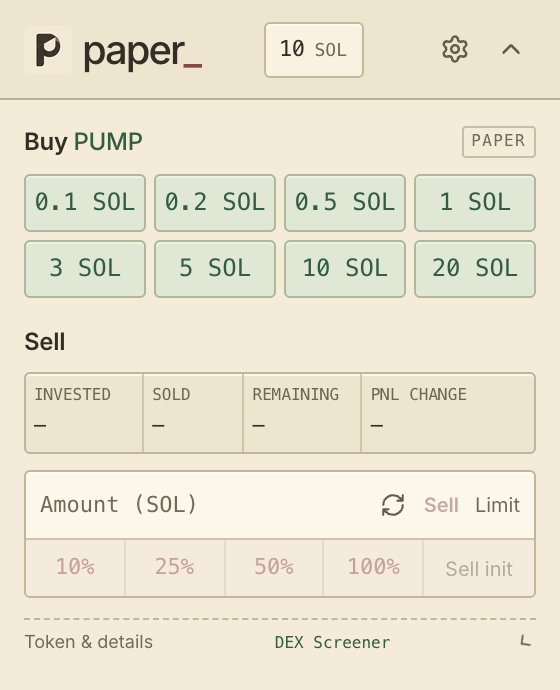
Buy presets, partial sells and live position PnL. Make the moves you would make beside your usual chart, using virtual SOL.
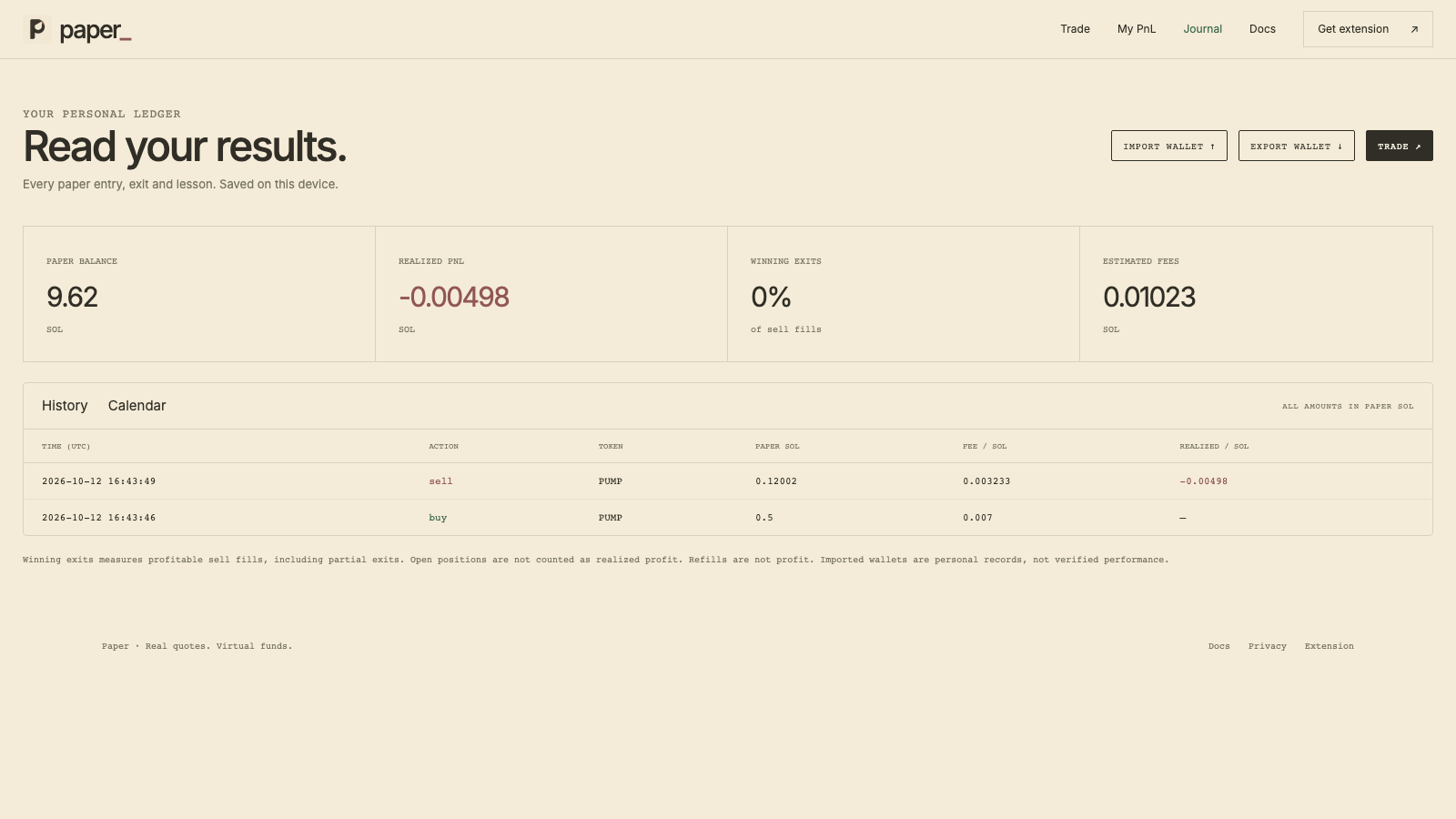
Connect your extension wallet to see open positions, live PnL and every paper fill in one place. Your records stay in this browser.
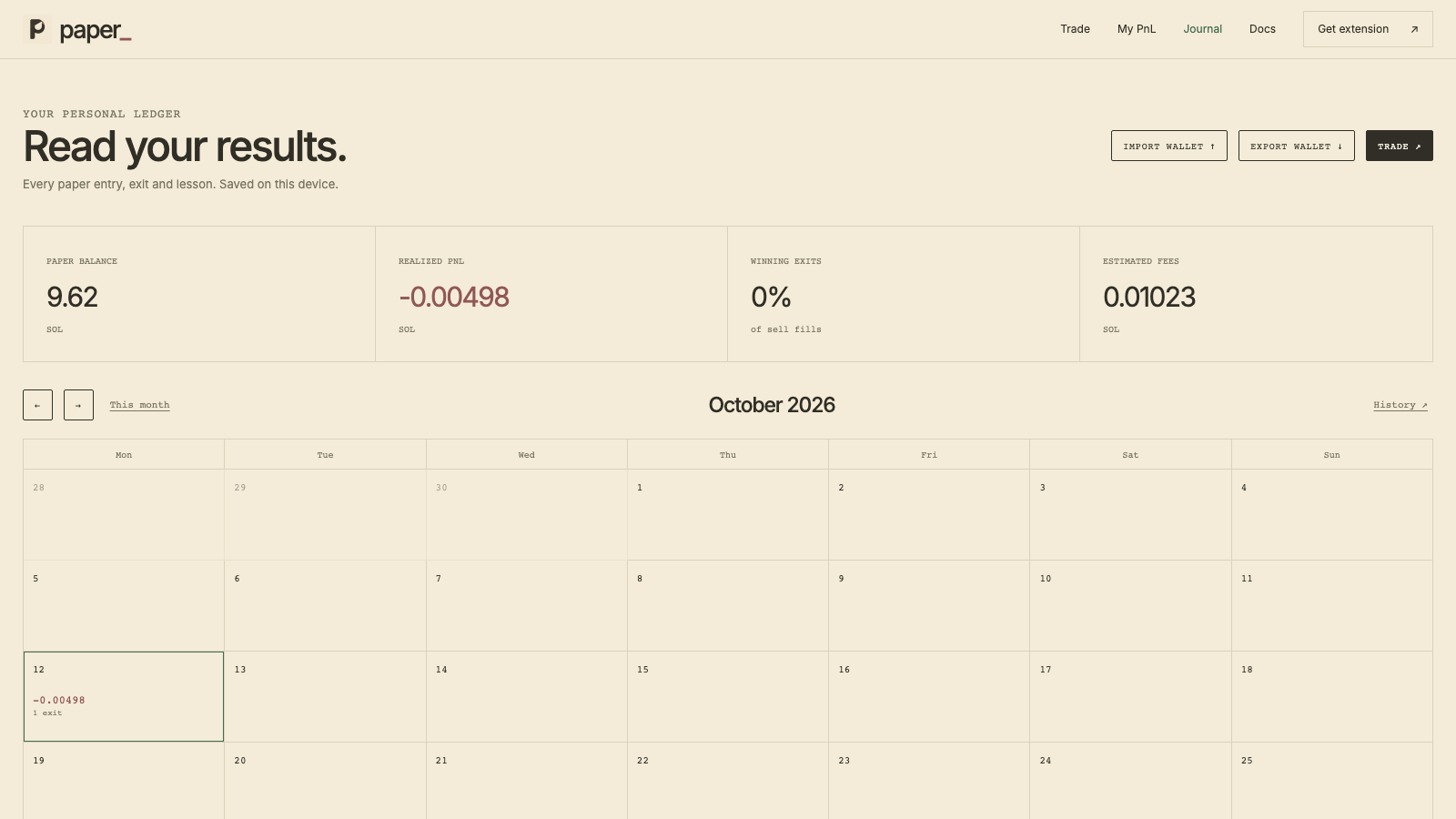
Put your trading in perspective. Your calendar groups realized results by day, so a good session never hides the bigger picture.
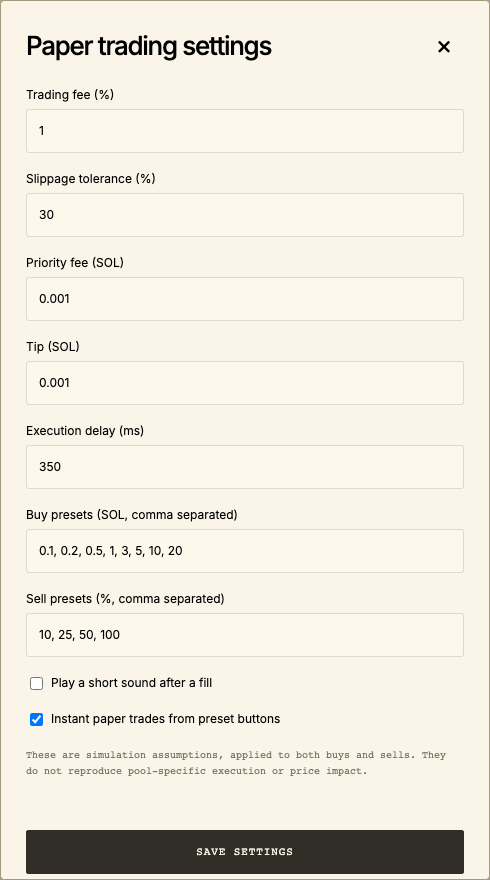
Choose your order sizes, fees, slippage and execution delay. Save your presets and get back to watching the chart.
Test the idea before you trust the impulse.
Open Paper and make your next trade a learning experience.
Your rhythm, your presets
Keep your go-to order sizes one click away. Set your own buy and sell presets for the way you trade.
Open trading settings ↗An exit is a decision too
Scale out in percentages, enter a size, or recover your initial cost when the position allows it. Every partial exit stays in your history.
How paper fills work ↗Keep your own record
Link your extension and review the same paper wallet here. Live positions, fills and a daily calendar. Read-only, personal, and on your device.
Connect your extension ↗Keep scrolling ↓
Paper is a practice trading terminal and browser extension for Solana tokens. It combines real market quotes with a virtual wallet, so you can try entries and exits and review the results without spending real SOL.
No. All balances and fills in Paper are virtual. There are no deposits, withdrawals, seed phrases or blockchain transactions. Paper balances have no cash value.
The extension follows live prices from supported terminals and on-chain pools, with DEX Screener as a fallback. The web terminal uses DEX Screener quotes and GeckoTerminal candles where available. Paper checks quote freshness and stops an order when a usable price is unavailable.
No. Paper uses market observations with your chosen fees, slippage tolerance and execution delay. It does not simulate every part of a real pool or blockchain transaction, including price impact. Paper performance is practice, not a prediction of real returns.
Start with Fomo, Axiom, Terminal, GMGN or Photon. Paper also includes Solana token-page adapters for ten more platforms. The panel follows the active token and closes when you leave its page. See the installation guide for the complete list. You can also paste a contract in the toolbar popup or web terminal.
The web terminal, journal and calendar work on mobile. The extension is designed for desktop browsers. Open the web terminal on your phone to practice with the same virtual trading mechanics.
Open the installation guide for Chrome, Edge or Firefox. It includes each package and the exact loading steps. Firefox currently uses a temporary installation; the guide explains how to reload it after a browser restart.
No. Paper gives you a virtual balance in this browser. It never asks for a real wallet, private key or seed phrase.
On your device, in this browser. Connect the extension to My PnL to view its wallet and history on the website after your approval. The web trading terminal keeps a separate practice wallet. There is no account or cloud sync. Clearing browser data removes the local copy, so keep a backup of anything you want to save.
Yes. Open Settings to change buy presets, sell percentages, trading fees, priority fees, tips, slippage tolerance and execution delay. These settings change simulated fills only.
Refill from the trading panel. Refills are recorded separately and never counted as profit. You can also export your wallet before resetting it for a new practice session.
No. Paper has its own clearly marked paper trading panel. Buttons belonging to the original trading platform keep their normal behavior. Only orders made inside Paper use virtual funds.
Yes. Export it from your journal, then import the file in the other browser or extension. Importing replaces that destination’s current paper wallet. There is no account or automatic cloud sync.